The fairest voice in the room
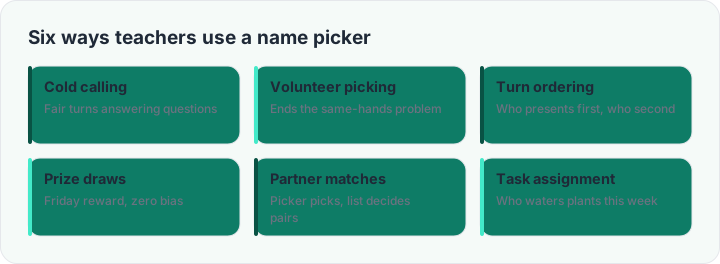
Every classroom has a subtle gravity: the same six hands shoot up, the same quiet rows slide through the term unnoticed. A random name picker replaces that gravity with a flat distribution — every student, every lesson, the same odds. Teachers use it for cold calls, volunteer slots, presentation order, prize draws and task rotas; the pattern underneath is always the same: replace a social decision with a mechanical one, and watch the negotiation disappear.
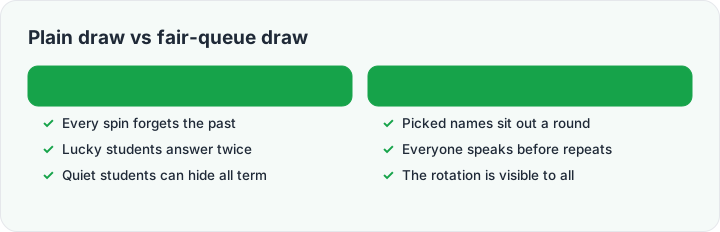
The skip already picked option turns the picker into a fair-queue: once Maya has answered, she is out of the hat until everyone has had a turn (or you reset). That single option is the difference between a random draw and an equitable rotation — most free pickers skip it. The picked history stays visible at the bottom of the tool, so the class can see the process is honest.
Random does not mean careless
A fair-queue picker still leaves you in charge of judgment: cold-call the question before you spin, so thinking time is universal rather than a punishment for being picked; offer think-pair support before the reveal for high-stakes questions; and keep the reset in your own hands — a student asking to "reset the hat" is a conversation, not a button. Used that way, the picker is not a replacement for your professional judgment; it is the neutral referee that makes your rotation visible and trusted.
Need groups instead of single names? The random group generator on the home page splits the same list into balanced teams, and the wheel picker adds a little theater when the moment deserves it.